
Ooof I need to update my website again soon. Lowkey want to start a new, plus I for sure want to switch my art from catbox to file gardens :p


Finally updated the art gallery to include the little bit of art I did last year and one that I finished today! :3
It's my birthday today! :3 Hoping to gain the will to work on my unfinished wip pages soon tho ߹𖥦߹
1 like
Finally getting around to finishing the years of 2016-2019 lol got sick and I didn't want to work on my shrine for Silver the hedgehog or my oc "( – ⌓ – )=3
Like as much as I love this current font it's actually really hard to read espicially the smaller the font gets (◞‸ ◟)💧
 chaoticradioarlo
10 months ago
chaoticradioarlo
10 months ago
to change my font I'm going have to even figure out how I even made it work in the first place because I have no idea how I even made it work in the first place
I lowkey want to go ahead and fix my status cafe thing but that was already a struggle to even get it work tbh :/ does anyone have any recommendation on how I can customize it a bit more? More so how to change out the font correctly
 zhongvie
10 months ago
zhongvie
10 months ago
trying to do it through surfing waves was a bit of a nightmare; if you F12 to inspect it, you can pick out some of the CSS classes they used and try to adjust those iirc, but if you do anything with dark/light mode its kinda moot cause it won't change ... the way i did mine was using a frame hosted on github pages and using the built in status.cafe code, then customize it there with CSS
1 like
zhongvie
10 months ago
... but if its just font you could try .feed-container { font-family: arial !important }; problem is that it wont take custom fonts, itll just have to be default fonts that are on the system
1 like
chaoticradioarlo
10 months ago
ooo okay :0, I might just change the font for now and then change the actual coding/hosting for it at a later time
OMG I DID FIX IT YIPPEE!!! :D
chaoticradioarlo
10 months ago
okay now I need to remember how to add it onto the page and then I can finally finish/start with Silver's shrine
chaoticradioarlo
10 months ago
wait nvm it got fixed on thpage itself but holy hell I'm so glad I finally fixed, I think what broke it in the first place was either the naming of it or just having it only have 1 theme because as soon as I added a second theme to it it got fixed


1 like
chaoticradioarlo
10 months ago
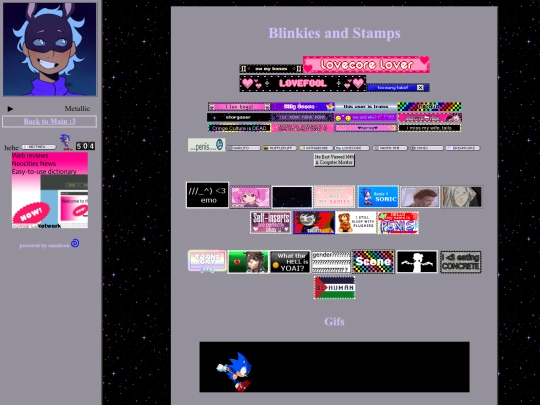
Don't mind this I'm just trying to get it to work and look right (╥﹏╥) if you have any tips or are able to figure out the problem then I'll appericate the help! (,,>﹏<,,)
chaoticradioarlo
10 months ago
Okay looking at it I might have to refo the entire code from the start again and see where it went wrong/if the orignal template works by it self. Because it could've been something I did when I was editing it


Will finally get around to finishing the 2016-2019 part of my gallery